
Table of Contents
What is Modsecurity?
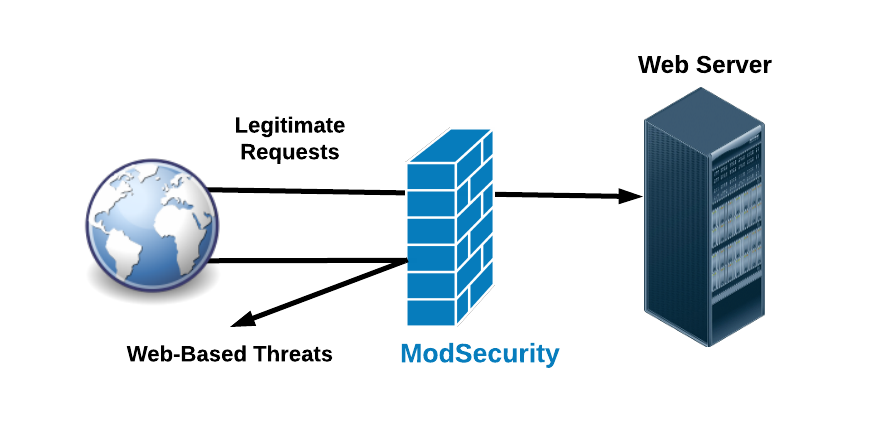
ModSecurity is an open-source web application firewall (WAF) module that is widely deployed to protect web applications from various attacks. It operates as an Apache/IIS/Nginx module or a standalone server, and it serves as a critical component in defending web servers and web applications against a wide range of threats, including cross-site scripting (XSS), SQL injection, and other common attack vectors.
Originally developed by Ivan Ristic, It provides a range of security features, including request and response filtering, real-time traffic monitoring, logging, and attack detection and prevention. It works by examining HTTP requests and responses as they pass through the web server, applying rules to identify and block malicious or suspicious activity.
Mod-Security operates based on a set of rules or policies that define what traffic should be allowed, blocked, or logged. These rules can be customized to meet the specific security requirements of individual applications or environments. Additionally, Mod-Security supports the use of regular expressions and scripting languages for creating advanced rulesets.
Overall, ModSecurity plays a crucial role in enhancing the security posture of web applications and protecting them from various cyber threats. It is widely used in both enterprise and open-source web server environments to safeguard against web-based attacks and ensure the integrity and confidentiality of sensitive data.
Key features of Modsecurity
Mod-Security offers several key features that contribute to its effectiveness as a web application firewall (WAF) and enhance the security of web servers and applications. Some of the key features include:

- Request Filtering: Mod-Security can inspect and filter incoming HTTP requests based on various criteria such as request headers, request methods, URL parameters, and request bodies. This allows it to detect and block malicious or suspicious requests before they reach the web application.
- Response Filtering: In addition to request filtering, Mod-Security can also inspect and filter outgoing HTTP responses. It can modify or block responses based on criteria such as response headers, content types, and response bodies, helping to prevent sensitive information leakage and other security issues.
- Real-time Monitoring: Mod-Security provides real-time monitoring of web traffic, allowing administrators to observe incoming and outgoing requests and responses as they occur. This helps in detecting and responding to security incidents promptly.
- Logging and Auditing: Mod-Security logs detailed information about web traffic, including request and response headers, payloads, and other relevant data. This audit trail is valuable for forensic analysis, compliance reporting, and troubleshooting security incidents.
- Attack Detection and Prevention: Mod-Security includes a set of built-in rules that are designed to detect and prevent common web application attacks such as SQL injection, cross-site scripting (XSS), remote file inclusion (RFI), and directory traversal. These rules can be customized and extended to address specific security requirements.
- Custom Rulesets: Administrators can create custom rulesets tailored to the specific needs of their web applications. Mod-Security supports the use of regular expressions, scripting languages (such as Lua), and other advanced techniques for crafting sophisticated rules to mitigate emerging threats.
- Performance Optimization: Mod-Security is designed to minimize performance overhead while providing robust security capabilities. It includes features such as rule caching, multithreading support, and optimized processing algorithms to ensure efficient operation in high-traffic environments.
- Integration with Web Servers: ModSecurity can be integrated with popular web servers such as Apache HTTP Server, Nginx, and Microsoft IIS as a module or plugin. This seamless integration allows for easy deployment and management within existing web server environments.
How Modsecurity protects the websites
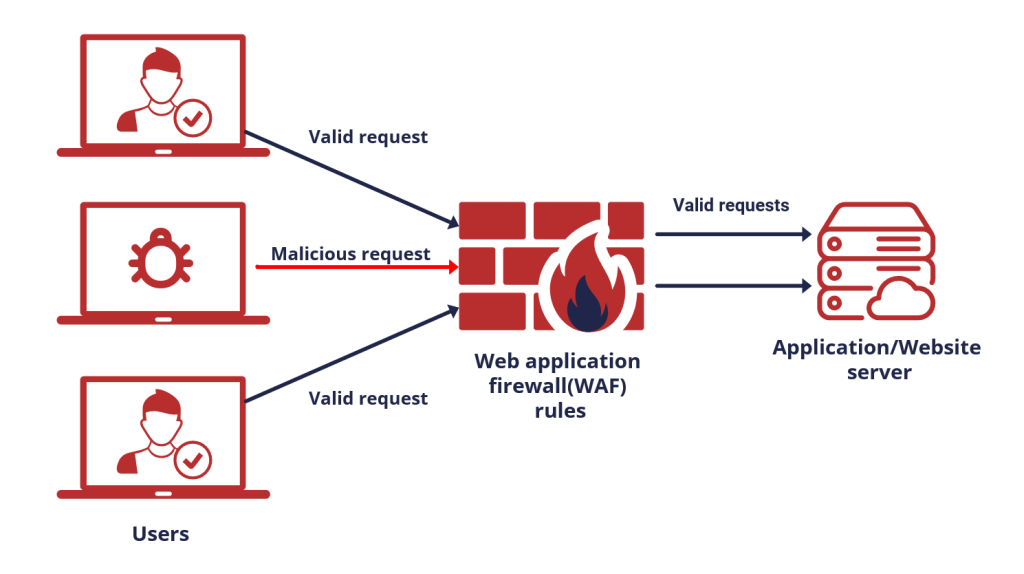
ModSecurity is typically used in websites as a web application firewall (WAF) to protect against various cyber threats and vulnerabilities. Here’s how it is typically implemented and used:
- Installation: The first step is to install ModSecurity on the web server where the website is hosted. ModSecurity can be integrated as a module or plugin with popular web servers such as Apache HTTP Server, Nginx, or Microsoft IIS.
- Configuration: Once installed, Mod-Security needs to be configured to define the security policies and rulesets that will be applied to incoming web traffic. This involves specifying which types of attacks to detect and block, as well as configuring logging and monitoring settings.
- Rulesets: ModSecurity comes with a set of default rulesets for common web application vulnerabilities such as SQL injection, cross-site scripting (XSS), and remote file inclusion (RFI). Additionally, administrators can create custom rulesets tailored to the specific requirements of their web applications.
- Monitoring and Logging: Mod-Security continuously monitors incoming HTTP requests and responses, applying the configured rulesets to identify and block malicious or suspicious activity. It logs detailed information about web traffic, including request and response headers, payloads, and other relevant data.
- Incident Response: When ModSecurity detects a potential security threat, it can take various actions based on the configured rules. This may include blocking the request, logging the incident, redirecting the user, or alerting the administrator for further investigation.
- Tuning and Optimization: Administrators may need to fine-tune ModSecurity’s configuration to minimize false positives and ensure optimal performance. This involves adjusting rule thresholds, whitelisting trusted sources, and refining rule sets based on ongoing monitoring and analysis.
- Integration with Security Ecosystem: ModSecurity can be integrated with other security tools and systems to enhance overall security posture. For example, it can be integrated with intrusion detection/prevention systems (IDS/IPS), security information and event management (SIEM) platforms, and threat intelligence feeds for more comprehensive threat detection and response.
Overall, ModSecurity serves as a critical component in protecting websites and web applications from a wide range of cyber threats, helping to safeguard sensitive data, maintain regulatory compliance, and ensure the availability and integrity of online services.
Steps for enable or disable mod security in cpanel
In cPanel, enabling or disabling ModSecurity can be done through the ModSecurity interface. Here are the steps to enable or disable ModSecurity in cPanel:
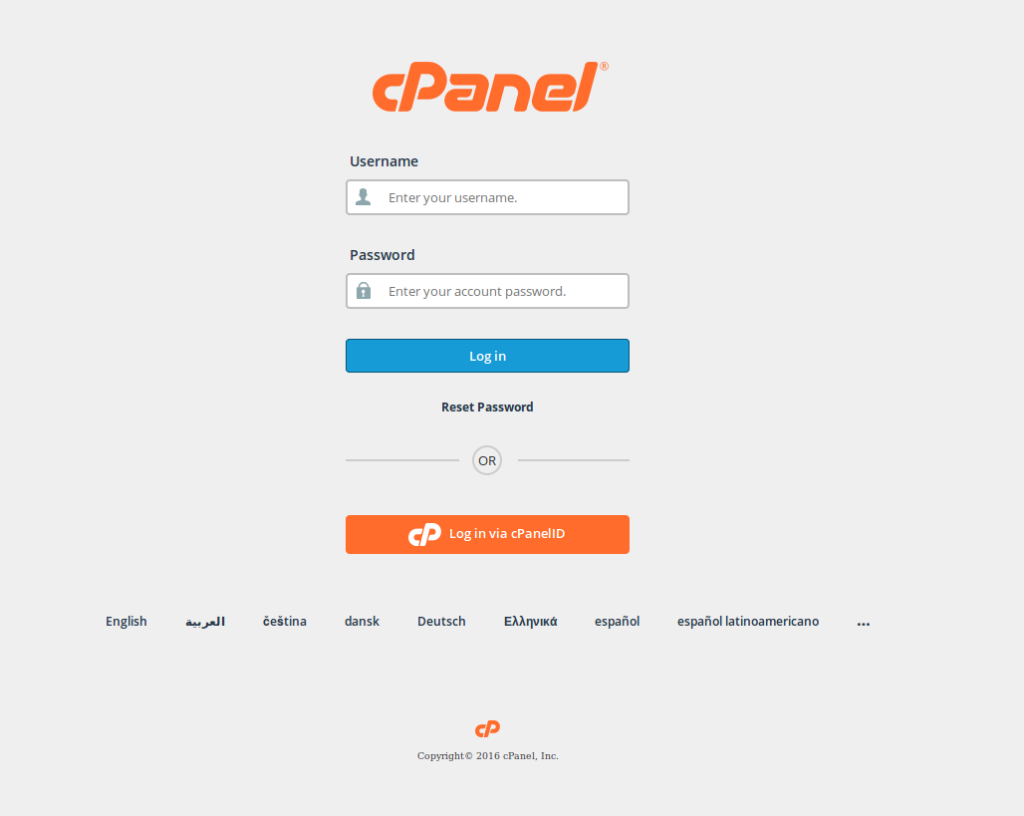
Log in to your cPanel account.
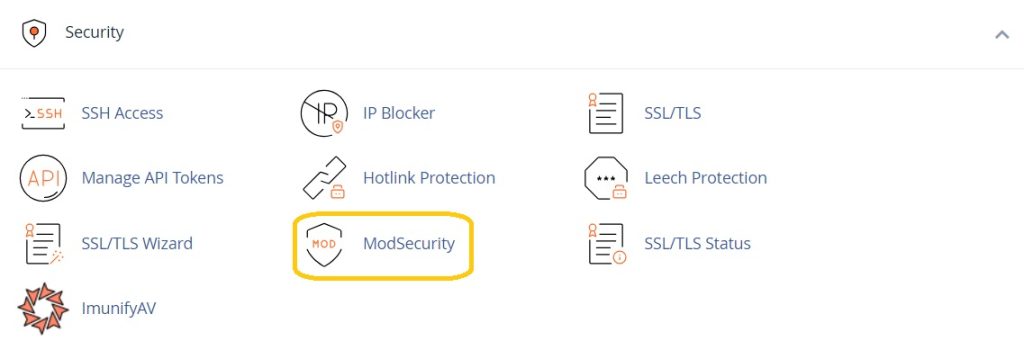
In the “Security” section, locate and click on “ModSecurity” or “ModSecurity Tools.” This option might be found under different names depending on your cPanel theme or version.
Within the ModSecurity interface, you should see a list of domains or a toggle switch to enable ModSecurity globally. If you want to enable it globally for all domains, toggle the switch to “On.” Alternatively, if you want to enable it for specific domains, select the domains you wish to enable it for.
Click on the “Enable” or “Disable” button or save your changes as per the interface instructions.
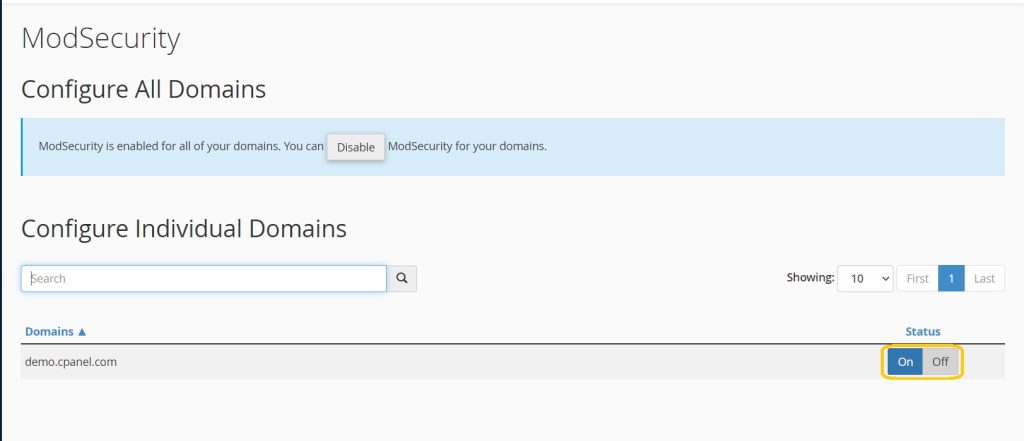
ModSecurity should now be enabled or disabled for the selected domains or globally, depending on your configuration.
Overall, ModSecurity serves as a critical component in protecting websites and web applications from a wide range of cyber threats, helping to safeguard sensitive data, maintain regulatory compliance, and ensure the availability and integrity of online services.